
 Caleb Turner
To maximize the functionality and aesthetic appeal of your living space, I recommend starting with a clear layout plan. Measure your area and identify key focal points, such as windows or fireplaces, that can influence your design decisions.
Prioritize balance when positioning your items. Distribute larger pieces evenly throughout the room to avoid heavy clustering in one area. This approach creates a harmonious visual flow, allowing for easy movement and interaction within the space.


Utilize zones to define different areas in multifunctional rooms. For example, separate a cozy reading nook from the main gathering area by strategically placing a bookshelf or a plant. This strategy enhances both utility and comfort, giving each section a distinct purpose.
Consider the scale and proportion of your belongings. Smaller objects can create a sense of intimacy, while larger items can dominate and define a room. Pairing pieces of varying sizes can inject dynamic energy into your environment.
Lastly, experiment with arrangement until you achieve a configuration that resonates with your style. Don’t hesitate to rearrange pieces after living with the setup for a bit; sometimes, the best layout emerges after a period of observation and adjustment.
Arranging Your Space in BDO
First, utilize the “Housing” interface. Select the desired piece and move it to your preferred location using your mouse. You can rotate items by holding the right mouse button, allowing you to adjust angles easily.
Grid Snapping
Enable grid snapping for precise alignment. Go to the settings menu under the housing interface and activate the grid feature. This will help ensure that pieces are evenly spaced and aligned with one another.
Layering Techniques
To achieve more depth, stack various items. Use smaller decor items as accents on larger furniture pieces. For example, a small lamp can enhance a table’s appearance, while a mat can anchor the entire space.
| Item Type | Recommended Position |
|---|---|
| Table | Center of the room for gathering |
| Sofa | Away from walls to create a cozy atmosphere |
| Shelves | Placed against walls for better storage |
| Decor | On surfaces or walls to add personality |
I’ve found that experimenting with different arrangements leads to the most satisfying results. Don’t hesitate to rearrange until the setup feels just right.
Understanding the Furniture Placement Interface
Access the interface by selecting the interaction button while inside your home. This action opens your inventory, showcasing your collection of items ready for arrangement.
To maneuver an object, click on it, and a circular display will emerge, allowing me to rotate the item freely. I can align it with the grid or adjust its position using precise arrow movements for fine-tuning.
Pay attention to the red X that appears if an object cannot be positioned in the selected area; this indicates obstruction or spatial limitations. I can toggle between placement modes to efficiently use available space.
Using the preview option, I can see how an arrangement looks before finalizing it. This step prevents mistakes and saves time during setup. Once satisfied, I confirm the placement with the confirmation button, securing the configuration.
The interface also offers layers for multiple levels. I can switch between them to design different floors or sections easily. This feature is especially useful for multi-story residences, where planning is key.
For enhanced organization, utilizing themes can streamline my aesthetic vision. I can categorize items based on style or functionality, making the interface user-friendly and ensuring a cohesive design throughout.
Finally, I can save my favorite arrangements as templates. This grants easy access to previous designs allowing me to recreate or build upon earlier setups without starting from scratch.
Choosing the Right Location for Your Furniture
Positioning items strategically can enhance functionality and aesthetics. I focus on three primary aspects: traffic flow, natural light, and focal points.
Traffic Flow
Ensuring smooth movement through the area is essential. I follow these guidelines:
- Leave at least 2-3 feet of space for pathways.
- Avoid blocking doors or windows for easy access.
- Group seating arrangements to facilitate conversation and movement.
Natural Light
Harnessing daylight improves the ambiance. I consider these points:
- Position seating and surfaces near windows to benefit from sunshine.
- Avoid heavy drapes that obstruct light.
- Utilize mirrors to reflect light and amplify brightness.
Creating a balance between functionality and aesthetic appeal requires thoughtfulness. By refining these elements, the setup becomes both inviting and practical.
Adjusting Furniture Alignment and Rotation
To fine-tune the positioning and orientation of items in your living space, utilize the rotation feature available within the interface. Simply click on the desired object, and then use the designated rotation controls, typically represented by an arrow icon. This allows for precise adjustments, ensuring the piece fits seamlessly into the environment.
Alignment is equally crucial for a polished look. Observing the gridlines presented on the placement overlay helps maintain symmetry and balance. I often position larger items first to establish a foundation, then align smaller accents around them for cohesive visual flow.
Utilizing the snapping feature can assist in maintaining equal distances between adjacent pieces. By holding down the respective button while dragging, it becomes easier to align with other objects or walls for a tidy aesthetic.
For more intricate setups, adjusting elevation can add depth. This option allows certain items to hover slightly above the ground, which enhances the layered effect. Approach this by selecting the piece and using the elevation slider to raise or lower it according to your preference.
Regularly previewing your arrangement from different angles is instrumental; being in varied perspectives reveals inconsistencies that might not be obvious from a singular viewpoint. This way, any necessary tweaks can be made on the fly.
Lastly, remember to save your configuration frequently after making adjustments. This precaution ensures that all refinements are preserved, allowing for easy modifications later on without losing progress.
Utilizing Inventory Space for Better Layouts
I recommend organizing your inventory efficiently to maximize your decorating potential. Prioritize items by their size, type, and function. This allows easy access to the most frequently used items during your design sessions.
Consider categorizing your collection into groups: large, medium, and small items. By doing so, I can quickly visualize what will fit in different areas without rummaging through the entire inventory. Using this method, I can create a checklist before starting the arrangement, ensuring that I have everything I need on hand.
Another strategy involves periodically reviewing my inventory. Discard or store items that I rarely use. This not only frees up space but also helps me focus on the pieces that resonate with my current theme.
Using storage options wisely is crucial. Place frequently needed items in readily accessible spots while keeping seldom-used pieces in less convenient locations. This tiered organization prevents clutter and facilitates a smoother decorating process.
Pay attention to the weight and visual balance of the items. This way, I avoid overcrowding certain areas and create a harmonious aesthetic. Lastly, remember to utilize the preview feature to visualize the arrangement in advance, making adjustments before finalizing the setup.
Decorating with Wall-mounted and Floor Furniture
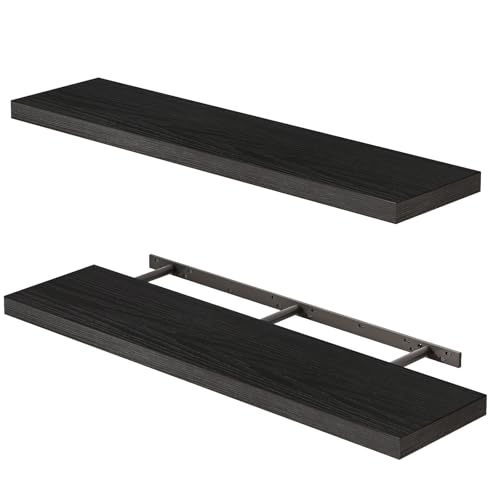
Wall-mounted options create an illusion of spaciousness. I recommend using shelves and cabinets that utilize vertical space effectively. Placing these elements above eye level maximizes floor area while providing storage and display opportunities.
Consider the weight of items to be displayed. Heavier objects should be secured on sturdy, appropriately rated mounts to avoid accidents. Mix functional pieces with decor for a balanced aesthetic.
- Choose a color palette that complements your space. Light hues tend to make a room feel larger and more open.
- Incorporate lighting: wall sconces can add both illumination and style.
- Utilize artwork and mirrors to enhance visual interest on vertical surfaces. Mirrors can reflect light, making the area feel more expansive.
For freestanding pieces, I suggest arranging them to create distinct zones within a larger room. This can help differentiate areas for relaxation, work, or socializing.
- Position items at varied distances from walls to avoid overcrowding.
- Consider traffic flow: ensure pathways remain clear, promoting easy movement throughout your space.
- Experiment with different arrangements before finalizing placements. Moving pieces around can reveal new layouts that feel more cohesive.
Always measure dimensions before acquiring new items. Ensuring compatibility with existing decor prevents spatial challenges. Keeping similar heights among various elements can enhance overall symmetry.
Maintain a theme that resonates with your personality. Personal touches like photos or souvenirs add uniqueness to each area, making it feel like home.
Troubleshooting Common Furniture Placement Issues
Identify the root cause of the placement problem first. If an item can’t be positioned where desired, check for nearby obstacles or restrictions imposed by the environment. Sometimes, moving other elements or clearing additional space can solve the issue.
If alignment appears off, utilize the rotation feature available in your interface. Small adjustments can significantly improve aesthetics. Experiment with different angles until the desired look is achieved.
In cases where items overlap or clip into each other, prioritize the use of stacking or similar layering techniques. Alternatively, reassess the arrangement strategy; changing the order of pieces might yield a more balanced layout.
The item’s dimensions might not suit the designated area. Measure the intended space and compare it with the size of the chosen elements. This might require exchanging or resizing specific pieces.
For mounted décor that doesn’t fit properly, consider adjusting the height or distance from other objects. Visual balance can often be repaired by minor edits to the positioning.
If adjustments do not lead to satisfactory outcomes, consult with community forums or visual guides for additional assistance. Sharing experiences often reveals solutions not yet considered.


