
 Caleb Turner
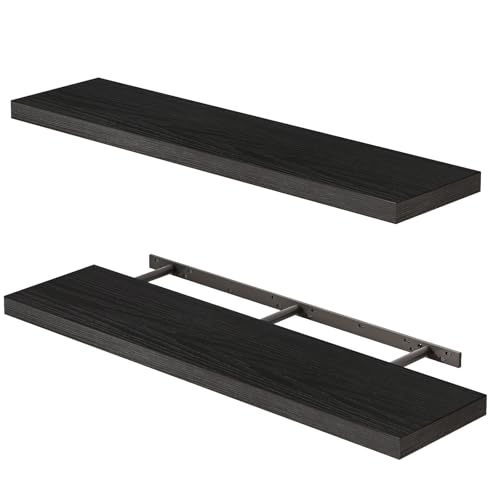
Positioning items within your shelter requires careful planning. My first suggestion is to utilize the grid system offered within the housing interface. This feature offers a clear and easy way to measure and align pieces accurately. Taking the time to familiarize yourself with the grid will streamline the alignment process, ensuring that each element fits together seamlessly.
Another tip is experimenting with the placement rules. Items can overlap or float slightly above each other, allowing for creative configurations. I often find that elevating certain objects, like shelves or plants, adds depth to the arrangement. Use this technique to create a layered look, making your space feel more dynamic.
Consider the scale of your selected items. Larger pieces can dominate a room, while smaller ones may get lost in the surroundings. Having a balanced mix is key. I recommend sketching out your ideas on paper, noting dimensions and proportions, to visualize the final arrangement before committing to any placement.


Lastly, don’t hesitate to change things up. Moving items around can lead to unexpected aesthetics. Each adjustment can transform the atmosphere and function of the area, giving you a fresh perspective. Take your time to enjoy the process of curating your surroundings, experimenting with different styles and layouts to find what resonates best with you.
Effective Arrangement Techniques
To optimize your living space, utilize the grid layout feature. This allows for easy alignment of items. Activate the grid by accessing the housing interface and adjusting your camera angle for better precision while placing decorations.
Additionally, practice the art of layering. By strategically placing larger items behind smaller ones, you create depth. Experiment with overlapping elements to enhance the aesthetic appeal of your interior design.
Utilizing Hooks and Virtue Grid
Employing hooks can elevate or lower decorations, integrating them seamlessly within your chosen theme. Use the virtue grid for consistent spacing and alignment, making sure that each piece fits harmoniously within the overall aesthetic.
Don’t forget about elevation. Placing items on tables or platforms can significantly change the visual dynamics of your setup. Use this method to draw attention to specific features in your space.
Understanding Housing Placement Rules
First, each item has specific restrictions on positioning. For instance, larger objects require more space and can’t overlap with smaller ones. Always ensure that the object fits in the designated area without infringing on the boundaries of adjacent items.
Items can be rotated to fit better in your chosen layout. Use the size of the room wisely; some pieces may not look right unless adjusted at an appropriate angle. This technique can create more visual interest and maximize available space.
Stacking is allowed with certain prerequisites. I can place items on top of each other, but I must comply with height limitations. Objects cannot float or exceed designated stacking rules, which vary by item type.
Check the item category, as some types are restricted to specific placable areas. For example, wall decor can only be mounted on walls, necessitating strategic planning. Understanding item classification is crucial for effective arrangement.
Additionally, room limits impose constraints on the total number of objects. Each housing type has a maximum count, and I must prioritize what contributes to my vision most effectively.
Lastly, I should take into consideration the interaction options with each piece. Certain objects are functional and may require a direct path for use. Arranging these thoughtfully will enhance the overall experience within my space.
| Rule Category | Description |
|---|---|
| Size Restrictions | Large items need ample space and cannot overlap smaller objects. |
| Rotation | Items can be rotated to fit better and create visual interest. |
| Stacking | Allowed but must adhere to height limitations for certain items. |
| Item Category Restrictions | Specific items must be in designated areas (e.g., wall decor). |
| Room Limits | Maximum number of objects varies by housing type. |
| Interaction | Functional items need clear paths for accessibility. |
Choosing the Right Space for Your Furniture
Identify specific areas that align with your vision for each item. For example, a large centerpiece, such as a dining table, benefits from placement in a well-defined area, allowing for an inviting atmosphere during gatherings.
Consider natural light. Position seating options near windows to enhance comfort while providing a brighter ambiance. Items like bookshelves or display cases can work well against walls that receive less sunlight, maintaining a balanced appearance.
Take advantage of room dimensions. Ensure that each piece complements its surroundings. For instance, avoid overcrowding smaller areas with bulky items, which can disrupt flow and accessibility.
Utilize vertical space for creative storage solutions. Wall-mounted shelves or hanging décor add character without sacrificing floor area.
Evaluate functionality alongside aesthetics. Prioritize accessibility, ensuring pathways remain clear for movement. Group similar pieces together, creating cohesive sections that invite exploration.
Test different arrangements before settling. Experimenting with various layouts can reveal surprising combinations that enhance the overall appeal. Adjusting positions slightly can also make a significant impact on the visual balance of the space.
Pay attention to color schemes. Harmonize tones between items and the environment, ensuring a seamless design. Accent pieces can introduce contrast, adding depth without overwhelming the senses.
Finally, remain open to change. As you acquire new elements or gain inspiration, revisiting the arrangement can refresh the space and maintain a dynamic atmosphere.
Aligning and Snapping Items Correctly
To ensure that everything looks polished, I use the snap feature. Activating it allows objects to align neatly with each other or with the walls of my space. This feature is particularly useful for achieving symmetry in arrangement.
To activate snapping, press the ‘Insert’ key on your keyboard. This toggles the snapping mode on and off. Once enabled, place an item close to another to see it snap into place, creating a seamless connection. If I want to reposition an item precisely, I gently move it until it clicks into alignment. This eliminates any unnecessary gaps and distractions.
Utilizing Grid Lines
Grid lines can offer a clear visual guide. I recommend checking the housing layout settings to enable them. These lines help in maintaining spatial awareness when arranging different pieces. They provide a reference that assists in keeping everything proportional.
Adjusting Angles with Precision
For angled items, selecting the correct rotation is key. I hold down the ‘R’ key while moving the mouse to carefully rotate objects. This allows for precise adjustments rather than relying on trial and error. Observing the angle closely ensures items don’t look awkwardly positioned.
Utilizing the Grid for Precise Placement
To achieve precision during arrangement, I rely heavily on the grid system embedded within the design interface. This framework simplifies the alignment of items and aids in maintaining uniformity throughout the space.
Here are key strategies for leveraging the grid:
- Grid Snapping: Enable the grid snapping option. This feature automatically aligns objects to the nearest grid lines, ensuring a tidy and organized appearance.
- Grid Spacing: Familiarize myself with the spacing on the grid. Knowing the measurement between lines allows for consistent gaps between different pieces.
- Vertical and Horizontal Alignment: Always check vertical and horizontal alignment by utilizing the grid. Placing items on the same horizontal line creates visual coherence.
- Layering Techniques: Use the grid to layer elements effectively. Adjusting placement based on grid coordinates can create depth without overcrowding the area.
In practice, I often toggle the grid’s visibility on and off to assess how items interact with surrounding space while retaining precise placements.
Experimenting with various grid settings can also reveal new arrangements I may not have initially considered, thereby enhancing creativity and functionality.
Creating Custom Layouts with Stacking Techniques
Utilizing stacking techniques is key to achieving unique and functional interior designs in your space. This approach allows for maximizing vertical space, making the most out of limited square footage.
To effectively employ stacking:
- Layer with Height Variations: Combine items of different heights to create visual interest. For example, stack books on a lower table and position a plant on top for added greenery.
- Utilize Shelves: Install shelves to elevate decorations or utility items. This not only saves ground space but also allows for creative arrangements.
- Experiment with Angles: Instead of aligning everything straight, try positioning items at slight angles when stacking. This can generate a more dynamic feel.
- Group Similar Items: Cluster items of the same theme or texture while stacking. This creates a cohesive look that draws attention without feeling cluttered.
- Adjust Depth: Modify the depth of the arrangements. For example, place wider items at the back and smaller ones at the front to ensure visibility.
While stacking, maintain a balance between aesthetics and practicality. Ensure that the items used are stable and won’t topple easily. Observe the placement rules to avoid overstepping limits, and always step back to view the entire design from a distance for better perspective.
Experimentation is crucial in finding the right combination that works for your vision. Document your layouts to refine your technique in future designs.
Incorporating Lighting for Enhanced Ambiance
To elevate the atmosphere of your interior, I recommend utilizing a mix of light sources. Different types of illumination can significantly alter the room’s mood.
- Floor lamps provide both height and a warm glow, perfect for creating inviting corners.
- Wall sconces add depth and can accent architectural features. Position them at eye level for the best effect.
- Table lamps are versatile; place them on surfaces like side tables to offer soft light without overpowering the space.
- Candles introduce a cozy element. Consider using different heights to add visual interest.
- Fairy lights can transform outdoor areas or shelves, adding a whimsical touch.
Layer your lighting by combining direct and indirect sources. This layering enhances contrast and draws attention to specific areas.
Experiment with light temperature as well. Warm tones create relaxation, while cooler shades can feel more energetic. You might consider adjustable bulbs for flexibility.
Placement is key; ensure light sources illuminate the intended areas without casting harsh shadows. Test different arrangements to find the perfect balance.
Lastly, don’t forget about the importance of light fixtures as decorative elements. Choose styles that complement your overall theme, which can serve as focal points in the design.
Planning for Accessibility and Flow within Rooms
Establish clear pathways to enhance navigation in your space. Ensure that essential areas are easily reachable by positioning items such that they don’t obstruct movement. A minimum of two tiles of open space should be maintained between larger structures, like sofas or tables, to facilitate comfortable passage.
Consider the functionality of each section. Group similar elements to create cohesive zones. For instance, cluster seating around a central area, keeping in mind the orientation towards key focal points such as a fireplace or window.
Adjust heights and dimensions to promote comfort. Use versatile pieces that can serve multiple purposes, like benches that can double as storage options. This method optimizes available area while ensuring usability.
Incorporate elements that promote ease of access, especially for guests. Use low-profile items or adjustable features for versatile placement and movement. Arrange tall items towards the back or corners to prevent overshadowing more accessible elements, maintaining a sense of openness.
Take advantage of natural flow by aligning items with the direction of entry points. Avoid confronting obstacles directly as this can disrupt overall harmony. Instead, direct the eye along pathways that guide visitors seamlessly through your layout.
Test your configuration by stepping back and observing the overall layout. If pathways seem cluttered or obstructed, consider swapping or rearranging items until the flow feels intuitive. Small adjustments can enhance accessibility and make your living space inviting.
Saving and Reusing Layouts for Future Projects
To efficiently archive and replicate designs, begin by utilizing the in-game housing features that allow for saving layouts. This functionality aids in recalling your arrangements and offers a seamless approach to re-executing successful concepts in new spaces.
When receiving requests to modify designs or create similar themes, take screenshots or notes of your past setups. This practice allows you to reference styles and elements that resonated well, ensuring consistency and cohesion in new endeavors.
Consider creating a catalog of your designs in a digital format, such as spreadsheets. Organize each project by categorizing styles, types, and highlights, making it easier to draw inspiration from earlier works during future assignments.
Additionally, experiment with specific item placements and document their placement codes if applicable. This method ensures precise replication without needing to manually measure or guess placements from scratch.
Here’s a table summarizing the key steps for saving and reusing designs:
| Step | Description |
|---|---|
| Utilize Layout Saving | Use the built-in functions to archive your arrangements within the game. |
| Screenshots and Notes | Capture visuals and details of your successful setups to reference later. |
| Create a Digital Catalog | Maintain a structured spreadsheet for different designs for easy access. |
| Document Item Codes | Record any specific item codes or details for accurate reconstructions. |
Implementing these strategies not only streamlines the process but also enhances creativity by allowing for adaptations based on previous successes. Each project can benefit from the insights gathered, allowing for a richer design experience.


