
 Caleb Turner

Begin with accurate measurements of your space. Utilize a scale to represent the dimensions effectively; this ensures that all components fit harmoniously within the design layout. For example, if the room measures 12 feet by 15 feet, a 1/4-inch scale could depict these dimensions accurately on paper.
Next, focus on placing individual objects such as chairs, tables, and shelving units. I recommend starting with the larger elements first, like sofas or dining tables, positioning them against walls or in functional spaces. Ensure to leave adequate room for movement; typically, three feet of clearance around these pieces provides comfortable navigation.
It’s important to consider the relationship between various items. Arrange elements in a way that promotes companionship and flow, whether it’s through conversation areas or dining setups. Group seats together and prioritize focal points, such as a coffee table or an entertainment unit, to create harmony.
Maintain consistency in your drawings by using symbols or representations for each type of item. Create a key on the side of your layout to clearly indicate what each symbol represents. This not only adds clarity but also enhances the professionalism of your work.

Lastly, frequently step back to evaluate the overall composition. Viewing your design from a distance helps identify any potential adjustments necessary for balance or aesthetics. This iterative process will refine the overall functionality and visual appeal of your interior layout.
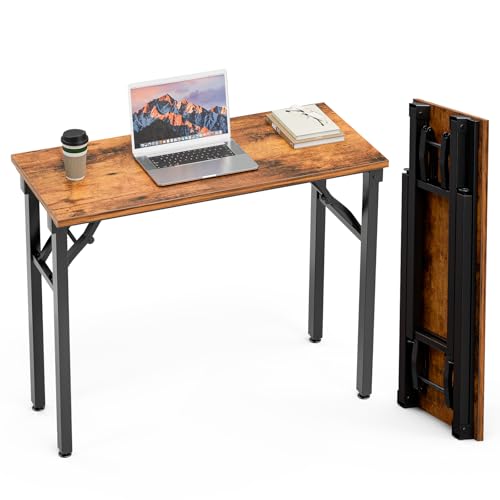

Selecting the Right Scale for Your Layout
Choosing the appropriate scale is vital for an accurate representation. Common scales used are 1:50 for residential spaces and 1:100 for larger areas, such as commercial environments.
Recommended Scales
- 1:20 – Ideal for detailed areas like kitchens and bathrooms, allowing precise placement of elements.
- 1:50 – Standard for residential layouts, providing a good balance between detail and space.
- 1:100 – Suitable for larger designs, enabling a broad overview of the arrangement.
Practical Tips
- Use graph paper scaled to your chosen ratio to maintain accuracy.
- Utilize software tools for precision, especially if working on complex dimensions.
- Always verify measurements; a small error at one scale can magnify at another.
- Consider the perspective. Larger scales can lead to better visualization in design meetings.
To ensure clarity, apply the same scale throughout the entire layout. Consistency aids understanding and minimizes confusion among viewers.
Understanding Furniture Dimensions and Proportions
Base measurements are critical. Familiarize yourself with standard dimensions of various items to ensure accuracy. For instance, typical height for a dining table ranges from 28 to 30 inches, while seat height for chairs generally varies between 17 to 19 inches. Knowing this aids in maintaining proportionality within your schematic.
Standard Measurements
Here are common sizes for various household pieces:
| Item | Width (inches) | Depth (inches) | Height (inches) |
|---|---|---|---|
| Couch | 72-96 | 30-40 | 30-36 |
| Coffee Table | 36-48 | 18-24 | 16-18 |
| Bed (Queen) | 60 | 80 | 12-24 |
| Dresser | 30-60 | 18-24 | 30-36 |
Proportionality Tips
Maintaining proportions is key. If using a smaller space, opt for compact versions of standard items. For instance, select a loveseat instead of a full-sized couch in tight quarters. Balance is necessary; ensure larger pieces don’t overcrowd areas. Use negative space effectively to promote visual harmony.
Using these dimensions and proportionality tips will enhance the layout’s visual appeal and functionality, making it easier for occupants to navigate and appreciate their surroundings.
Using Software Tools for Accurate Furniture Placement
Choosing the right software can significantly influence precision in positioning items. Programs like SketchUp or RoomSketcher offer intuitive interfaces that allow me to create a realistic representation of my setup. I can drag and drop different components, making it straightforward to experiment with various arrangements.
Utilizing layers within the software is beneficial. By placing different categories of items on separate layers, such as seating, tables, and storage, I can easily toggle visibility and focus on one element without distractions. This feature aids in making quick adjustments while maintaining a clear view of the entire setup.
Most tools also have a library of pre-made models, which saves time. I can select from a range of styles, ensuring I find options that complement my vision. Being able to view 3D perspectives gives me insight into scale and relationship between objects, enhancing my spatial understanding.
Many applications come equipped with measurement tools, empowering me to maintain proper distances and dimensions between elements. This capability is fundamental in ensuring there is adequate traffic flow and that each piece fits harmoniously within the space.
Finally, utilizing the export functions allows me to save my design as a blueprint or presentation. Sharing my vision with others becomes more straightforward, providing a clear guide for materializing my ideas. Each tool’s unique functions can be leveraged to improve the accuracy of my designs and enhance the final outcome.
Incorporating Traffic Flow into Furniture Layout
Prioritize pathways by designing clear routes throughout the area. Aim for at least 24 to 36 inches of width for walkways to ensure comfortable movement. Assess the arrangement of seating and other elements, avoiding blockages that may disrupt flow.
Utilize a focal point in your layout to direct traffic naturally. For instance, arranging seating around a central table or a feature like a fireplace can guide movement effectively. This strategy enhances both functionality and aesthetics.
Evaluate corner arrangements and consider low-profile pieces to maintain visibility and ease of access. Avoid cramming items in corners, which may restrict movement. Instead, position essential elements like sofas and chairs facing inward to create conversational zones while facilitating clear passage.
Adjust the placement of larger pieces to accommodate higher traffic areas, such as entrances and exits. Leave open spaces between furniture and walls, ideally around 12 to 18 inches, to minimize feeling cramped while providing space for movement.
Use visual cues like area rugs to define zones and encourage natural flow. Ensure that rugs are size-appropriate, extending beyond the furniture to create a comfortable design. This not only delineates areas but also maintains accessibility.
Finally, periodically reassess the layout after use to identify any bottlenecks. Simple adjustments can enhance the overall experience for everyone navigating the space.
Visualizing Furniture Styles in Your Drawings
Begin by researching and collecting visuals of various types of styles. Create a mood board that showcases elements from modern, traditional, minimalist to eclectic designs. By utilizing Pinterest or design magazines, I gather inspiration that helps to clarify my vision.
Color Schemes and Textures
Incorporate color palettes that reflect the desired style. Use swatches to visualize how different hues interact within the space. Textures also play a significant role; for instance, pairing a sleek leather sofa with a rustic wooden coffee table can create an appealing contrast. Observing how these materials function together in drawings enhances the overall aesthetic.
Scale Models for Accurate Representation
Utilize scale models or cutouts of different styles to experiment with arrangements. Manipulating three-dimensional representations aids in understanding how each piece complements the rest of the environment. This hands-on approach allows for clear visualization of spatial relationships and stylistic coherence.
Labeling and Annotating Furniture in Floor Plans
Begin with clear labels for each item; using text descriptions enhances clarity. I recommend employing concise terms that reflect the type, style, or purpose of the pieces, such as “Dining Table,” “Sofa,” or “Desk.” This method allows viewers to rapidly understand the layout.
Incorporate consistent fonts and sizes throughout the document to maintain a cohesive look. I typically opt for a sans-serif typeface at a readable point size, ensuring legibility even at a distance. Each label should be placed close to its respective item to avoid confusion.
Using symbols alongside names can provide a visual cue. For example, a small icon representing a chair can accompany its label. Keeping the notation simple and intuitive aids comprehension. I find color-coding by categories–such as seating, storage, or surfaces–very helpful in distinguishing types of pieces quickly.
Annotations can offer additional context, particularly for multi-functional items. I recommend adding notes like dimensions or materials directly on the plan, using dashed lines for clarity. This keeps the information organized without overwhelming the viewer.
Lastly, consider creating a legend or key for any symbols or color codes used. This serves as a useful reference point and enriches understanding. I always ensure to review annotations thoroughly; accuracy in labeling can significantly impact the perception of the entire layout.
Common Mistakes to Avoid When Drawing Furniture
One prevalent error is neglecting accurate dimensions. Ensure I measure every piece precisely, as miscalculations lead to misleading representations in the design.
Ignoring scale is another common pitfall. Selecting the wrong scale complicates placement and may result in overcrowded or sparsely arranged spaces, affecting the overall balance of the layout.
Omitting traffic flow considerations can create impractical arrangements. I prioritize pathways; ensuring there is sufficient space for movement around each item enhances usability.
Underestimating the importance of consistency in style can detract from cohesion. I adhere to a unified aesthetic throughout the drawing, whether opting for modern simplicity or traditional elegance.
Forgetting about functionality often leads to oversight in practical use. I analyze how each piece will serve its purpose and ensure that arrangements cater to both aesthetics and usability.
Lastly, failing to label pieces accurately can cause confusion. I always annotate items clearly, providing names and dimensions for easy reference and better understanding of the design intent.


